Page 25
Your PVR is capable of recording two programs while you watch a third
program. You can easily tell what your PVR is doing by pressing the OK
button. When you see the red light indicating that something is being
recorded on the PVR, you can quickly find out what program is recording.
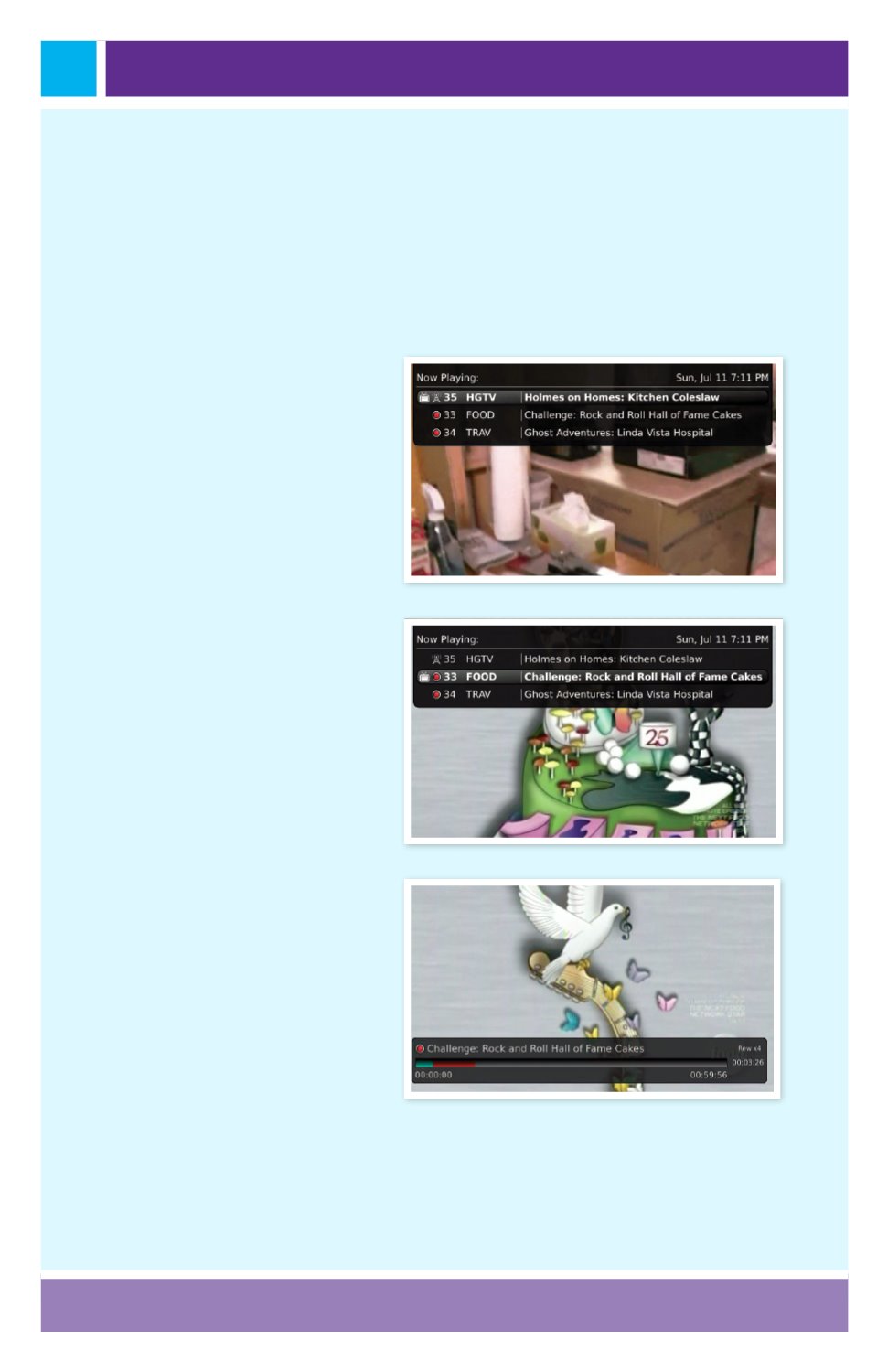
1. Press the OK button on
the remote control to see
what is Now Playing.
In
this example, the television
is tuned to channel 35 as
indicated by the TV symbol.
Channels 33 and 34 are
recording as indicated by
the red circle symbols.
2. You may change to view
any of the listed programs
by using the arrow up/
down keys on the remote
control and pressing the
OK button.
For example,
you can choose to view
the program as it is being
recorded on Channel 33.
3. When you change to
view the program that
is recording, the system
will start at the last time
you viewed that program.
You can go back to the
beginning of the program
using the REW button or
jump with the down arrow.
You have access to REW,
Skip Back, Skip Forward, and
FFW to move within the
recording.
Working with Multiple Streams


